.png)


How to Check Voltage, Amperage, and Connector Polarity When Choosing an Adapter?
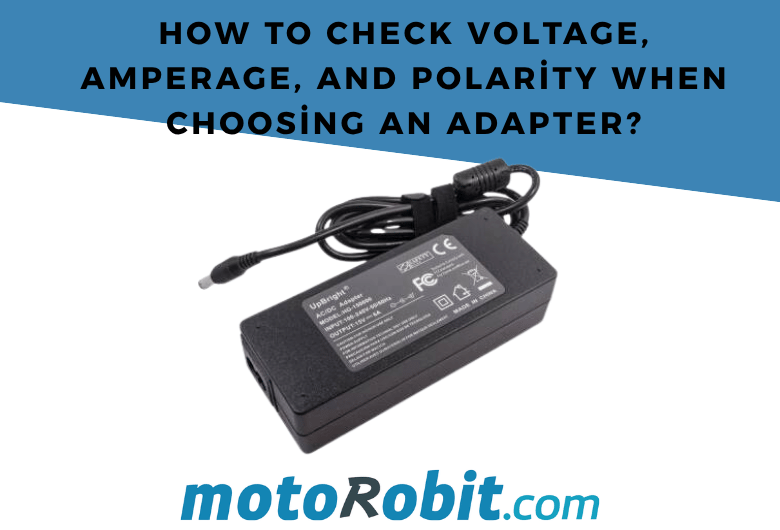
How to Check Voltage, Amperage, and Plug Polarity When Choosing an Adapter?
Choosing the correct adapter for electronic devices is essential for safe and efficient operation. Incorrect voltage, insufficient current capacity, or reversed polarity can cause the device to malfunction, behave unpredictably, and in some cases suffer permanent damage.
In this guide, we explain how to read the information on an adapter, how to choose a suitable model for your device, and the most common mistakes to avoid.
What Do the Values Written on an Adapter Label Mean?
An adapter usually contains the following information:
- Input: The electrical values that the adapter receives from the mains. For example:
100-240V AC 50/60Hz. - Output: The output supplied by the adapter to the device. For example:
12V DC 2A. - Polarity symbol: Indicates whether the center of the adapter plug is positive or negative.
- Plug size: May be specified in millimeters on some adapters. For example:
5.5 x 2.1 mm.
The input requirements specified on the device or in its user manual should be compared with the adapter's output values.
Why Must the Voltage Value Be the Same?
Voltage is one of the most critical values when choosing an adapter. The voltage required by the device and the adapter's output voltage should be the same.
For example, if a device is labeled 12V DC, the adapter used should also provide a 12V DC output.
Using a higher voltage can damage the electronic circuits of the device. For example, connecting a 19V adapter to a device designed to operate at 12V is risky. A lower voltage may cause the device not to operate, operate poorly, or continuously restart.
For adjustable adapters, the voltage setting must always be checked before making the connection.
What Happens If the Amperage Is Too Low or Too High?
The amperage value indicates the maximum current capacity that the adapter can provide. The basic rule is:
The adapter's amperage rating should be equal to or higher than the value required by the device.
For example, for a device operating at 12V 1A:
12V 1Aadapter is suitable.12V 2Aadapter is suitable.12V 3Aadapter can also be used.12V 500mAadapter is not suitable.
The device draws only as much current as it needs. Therefore, as long as the voltage is the same, using a 2A or 3A capacity adapter with a device that consumes 1A does not generally cause a problem.
However, when an adapter with insufficient amperage is used, the adapter may overheat, the voltage may drop, and the device may operate unstably. This situation is more common in motorized projects, LED strips, routers, camera systems, and high-power circuits.
How Is the Adapter Plug Size Determined?
Even if the voltage and current are correct, the connection cannot be established if the adapter's physical plug is incompatible with the device. One of the most common DC adapter plug sizes is 5.5 x 2.1 mm. Other sizes, such as 5.5 x 2.5 mm, 3.5 x 1.35 mm, and various custom sizes, are also used.
Plug size consists of two dimensions:
- The first value indicates the outer diameter.
- The second value indicates the inner diameter.
For example, in a 5.5 x 2.1 mm plug, the outer diameter is 5.5 mm and the inner diameter is 2.1 mm.
Although they may look similar from the outside, 5.5 x 2.1 mm and 5.5 x 2.5 mm plugs cannot always be used interchangeably without problems. Loose contact, intermittent connections, or overheating may occur.
What Are Center-Positive and Center-Negative Polarity?
In DC adapters, electricity is carried through the center pin and outer sleeve of the plug. Polarity indicates which of these two surfaces is connected to the positive and negative terminals.
The most common connection type is center-positive. In this configuration, the inner part of the adapter plug is positive and the outer part is negative.
The symbol on the adapter label must always be checked. The polarity of the device and the adapter must match.
Connecting with the wrong polarity can damage electronic components, especially in products without protection circuits. Therefore, it is not enough for the plug to physically fit the device; the polarity symbol must also be checked.
Are AC and DC Adapters the Same?
No. Adapters can provide either AC or DC output.
- AC adapters provide alternating current output.
- DC adapters provide direct current output.
Arduino boards, LED strips, modems, camera systems, motor drivers, and many other electronic modules use DC power. The device may indicate this with DC, a straight-line symbol, or the ⎓ symbol.
Special devices that operate with AC may display a wave symbol or the ~ symbol. An AC adapter should not be connected to a device that requires a DC input.
How to Read an Adapter Label?
Let's examine an example label:
Input: 100-240V AC 50/60Hz
Output: 12V DC 2A
This adapter can operate with a 100-240V AC mains input and can provide 12V DC with a maximum current of 2A to devices.
This adapter can be used with devices that require a 12V DC input, draw 2A or less, and have the same polarity and compatible plug size.
For example, this adapter can be used with a device labeled 12V DC 1A. However, it should not be used if the device requires 9V or 19V.
Common Mistakes When Choosing an Adapter
Looking Only at the Adapter Plug
The fact that the plug fits the device does not mean that the adapter is suitable. Voltage, current, polarity, and AC/DC type must all be checked together.
Using an Adapter with a Higher Voltage
Using a 15V, 19V, or 24V adapter with a 12V device may cause damage to the device.
Using an Adapter with Insufficient Amperage
Using a 1A adapter when the device requires 2A may cause overheating, reduced performance, and shutdown problems.
Not Checking the Polarity Symbol
Connecting a center-positive adapter to a center-negative device may cause the device to malfunction or become damaged.
Confusing AC and DC Output
Even if they have the same voltage rating, AC and DC adapters cannot be used interchangeably.
Quick Checklist for Choosing an Adapter
- Is the adapter's voltage the same as the voltage required by the device?
- Is the adapter's amperage rating equal to or higher than the device's requirement?
- Is the adapter output AC or DC?
- Is the plug size compatible with the device?
- Does the polarity symbol match?
By checking these five points, you can safely choose an adapter for your electronic projects, modems, LED systems, and other devices.
Conclusion
Choosing the correct adapter not only ensures that the device operates properly but also contributes to longer and safer use. The voltage must be the same, the adapter must have sufficient current capacity, the plug size must be compatible, and the polarity must be verified.
If you are unsure, check the label on the device, the output information of the original adapter, and the plug dimensions before making your selection.
How to Check Voltage, Amperage, and Connector Polarity When Choosing an Adapter?
How to Use the ST750E 750W Digital AC 3-Phase Motor Speed Control Module?
JST GH vs PH vs XH vs SH Connectors: Differences
Low Level vs. What is High Level Trigger?

The Code of Numbers on Drone Propellers: How to Read Propeller Measurements?